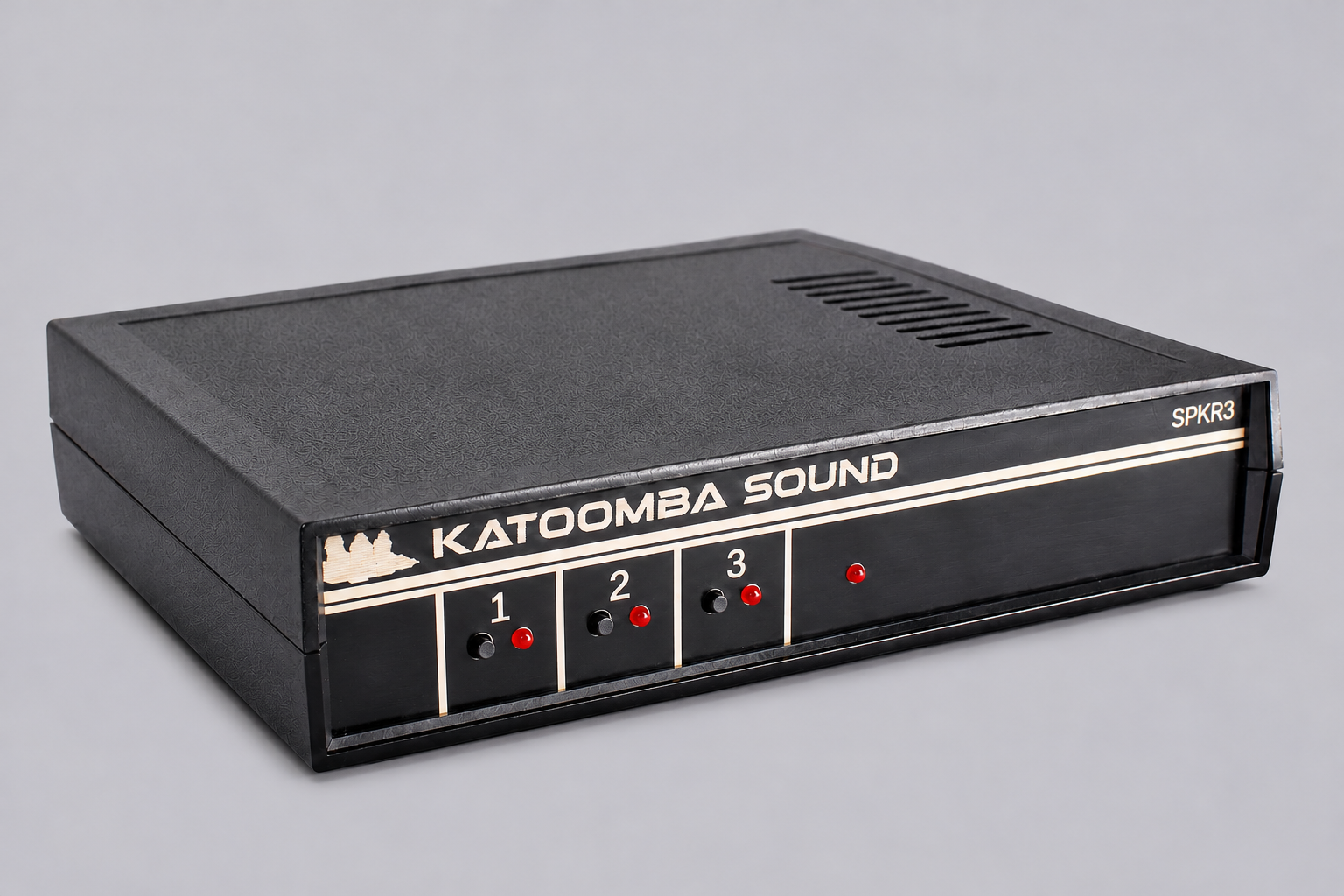
SPKR3 — 3-Zone Stereo Speaker Switch
Control up to three stereo speaker zones independently using the front-panel buttons or a browser on your local network. No dedicated app is required.
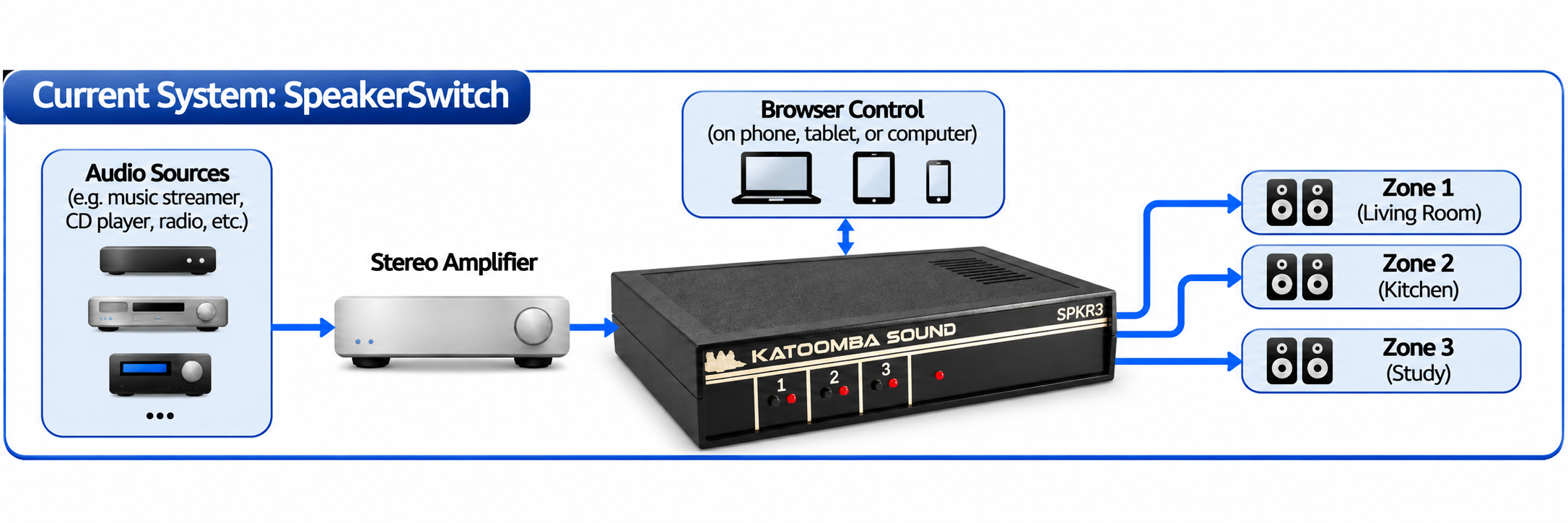
How SPKR3 Works
Connect a compatible common-ground stereo amplifier to the SPKR3 amplifier input, then connect up to three stereo speaker pairs to the output terminals. Select which zones are active from the front panel or a browser.
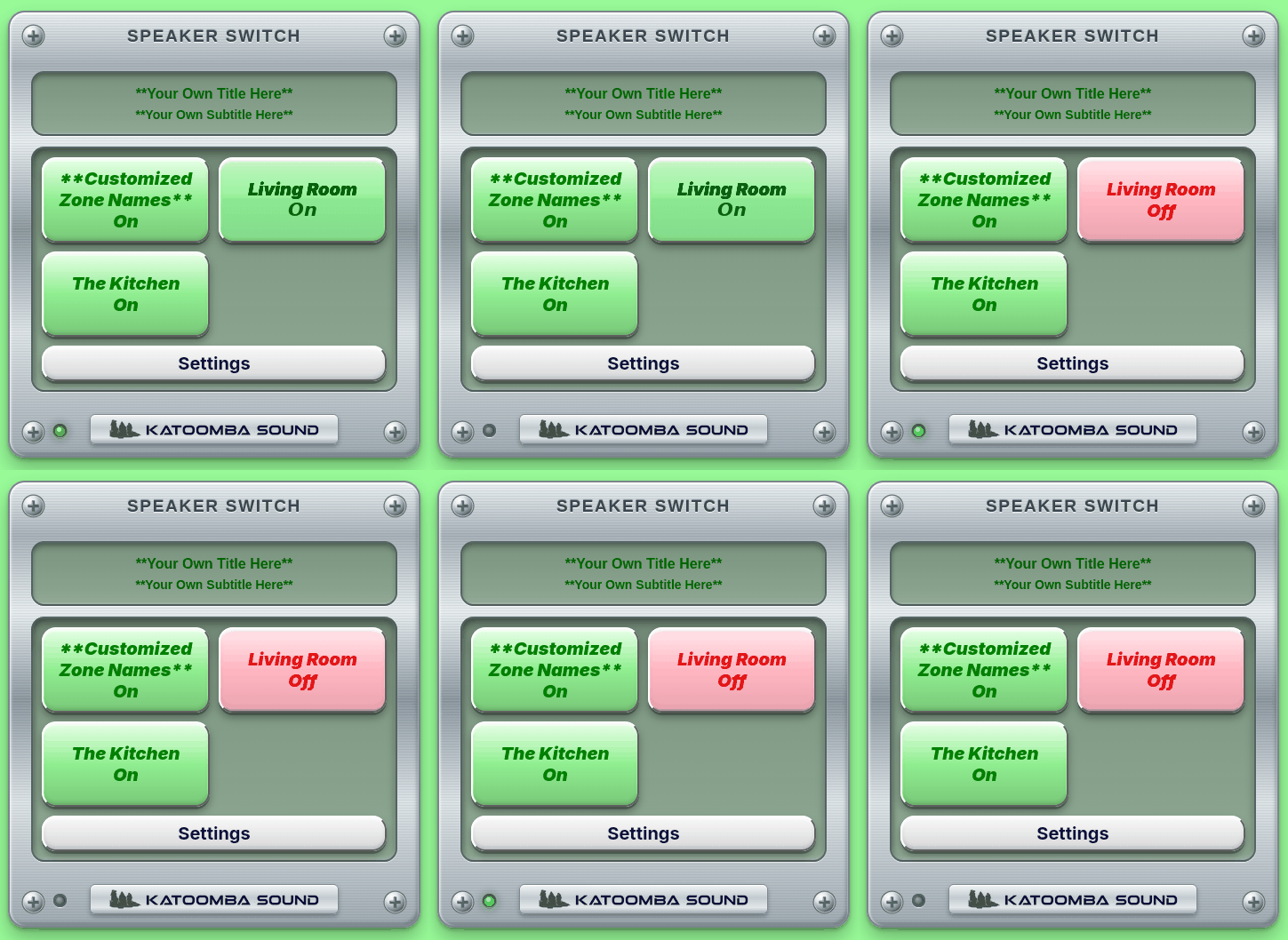
Browser Control
Use a phone, tablet or computer to switch zones on and off, assign custom zone names and view automatically refreshed zone status. The browser control page can be added to a mobile device’s home screen for quick access.
- Use Common Browsers: Access the control panel using Chrome, Edge, Safari, Firefox, and other standard browsers.
- One-Touch Control: Turn each speaker zone on or off instantly.
- Instant Visual Feedback: Green indicates On; red indicates Off, for at-a-glance status.
- Three Independent Zones: Control speakers throughout your home, such as rooms, patios, or other listening areas.
- No Dedicated App Required: Access the controls through a standard web browser on your phone, tablet, or computer.
- Multi-Device Control: Automatic browser updates keep speaker-zone status synchronized across devices, allowing multiple users to operate the control panel independently from phones, tablets, or computers on the home network.
● Connection & Activity Indicator
The activity indicator LED (shown on the left) displays browser update activity and connection health. Green indicates successful communication with your SpeakerSwitch; red indicates that the browser is unable to contact it.
Features and Functions
Browser Control & Customization
- Browser-based speaker zone on/off control from phones, tablets and computers using common browsers including Chrome, Edge, Firefox, Safari and Samsung Internet; no dedicated app required
- Custom speaker zone names and automatically refreshed zone status across multiple browsers and devices on the home network
- User-configurable zone button text appearance, including font size, bold and italic styling, and line breaks
- Two user-configurable control-panel navigation buttons
- Eight selectable control-panel color schemes
- Settings Button Visibility: Option to hide the Settings button from the browser control panel, helping prevent accidental or unauthorized changes to SpeakerSwitch configuration.
- Configurable automatic browser refresh interval from 1 to 999 seconds, or disable automatic refresh (0)
- Add the SpeakerSwitch browser control page to your mobile device’s home screen for quick access
- Browser-accessible configuration and network diagnostics
Front Panel Control
- Physical front-panel push buttons for on/off control of speaker zones with LED indicators
- Configurable front-panel LED display timeout in seconds, or keep LEDs always on
Speaker Management & Hardware
- Stereo left/right speaker zones, with independent selection of each stereo zone
- Configurable maximum simultaneously active zones, from one to the model’s maximum zone count, to help protect the amplifier from excessive speaker loading
- Compatible with common-ground (shared negative) stereo amplifiers only; not compatible with bridge-tied load (BTL), bridged or floating-output amplifiers
- Removable Speaker Terminal Connectors: Simplify amplifier and speaker wiring during initial installation, and allow easy disconnection and reconnection for maintenance or system changes.
NOTE: Confirm speaker impedance, permitted active-zone combinations and model-specific electrical ratings before installation.
Advanced Options & Administration
- Enable or disable remote SSH access
- Enable or disable optional Katoomba Sound cloud services; cloud registration provides readiness for future Alexa and Android home-control integrations
- Upload custom CSS files to add control-panel color schemes
- Upload software patches and updates
- View system health and performance logs
Networking
SPKR3, SPKR5, and SPKR7V2 support simultaneous Wi-Fi and wired Ethernet (RJ45) connections. SPKR7 supports Wi-Fi only.
Technical Specifications
| Specification | SPKR3 |
|---|---|
| Stereo speaker zones | 3 |
| Zone control | Front-panel buttons and web browser |
| Network interfaces | Wi-Fi and wired Ethernet (RJ45) |
| IP networking | IPv4; static IP or DHCP |
| DNS configuration | Static or DHCP-provided |
| IPv6 | Not supported |
| Speaker connections | Removable terminal connectors |
| Amplifier compatibility | Common-ground (shared-negative) stereo amplifiers only; not compatible with BTL, bridged or floating outputs |
| Maximum active zones | Configurable from 1 to 3 zones; first-on, first-off sequencing |
| Independent volume control | Not provided. SpeakerSwitch models switch zones on and off only. |
| Product dimensions and weight | Height 1⅓ × Width 7¼ × Length 5¼ inches; 1 lb |
| Boxed dimensions and weight | Height 4 × Width 9 × Length 6¼ inches; 1.4 lb |
| Power input | 5V DC, 2A; Micro USB connector |
| Switching relay ratings | 440VAC maximum, 300VDC maximum; 8A (relay component ratings, not amplifier load ratings) |
| Speaker wire connectors | Removable terminals; 12–16 AWG (1.3–2.1 mm, as specified) |
| Equipment protection | User-selectable maximum of 1–3 simultaneously active stereo speaker zones/pairs, with first-on, first-off sequencing. No resistive protection. |
| Wi-Fi support | 2.4 GHz only; IEEE 802.11b/g/n; WPA/WPA2-PSK authentication. 5 GHz is not supported. |
| Wired Ethernet (RJ45) | 10/100 Mbps; half-duplex or full-duplex. Wi-Fi and wired Ethernet can operate simultaneously. |
Installation and Documentation
Amplifier compatibility: SPKR3 requires a common-ground (shared-negative) stereo amplifier. Do not connect bridge-tied load (BTL), bridged or floating-output amplifiers.
Confirm speaker impedance, permitted active-zone combinations and model-specific electrical ratings before installation.
For the latest available SPKR3 owner’s manual and installation instructions, please contact Katoomba Sound Support.